
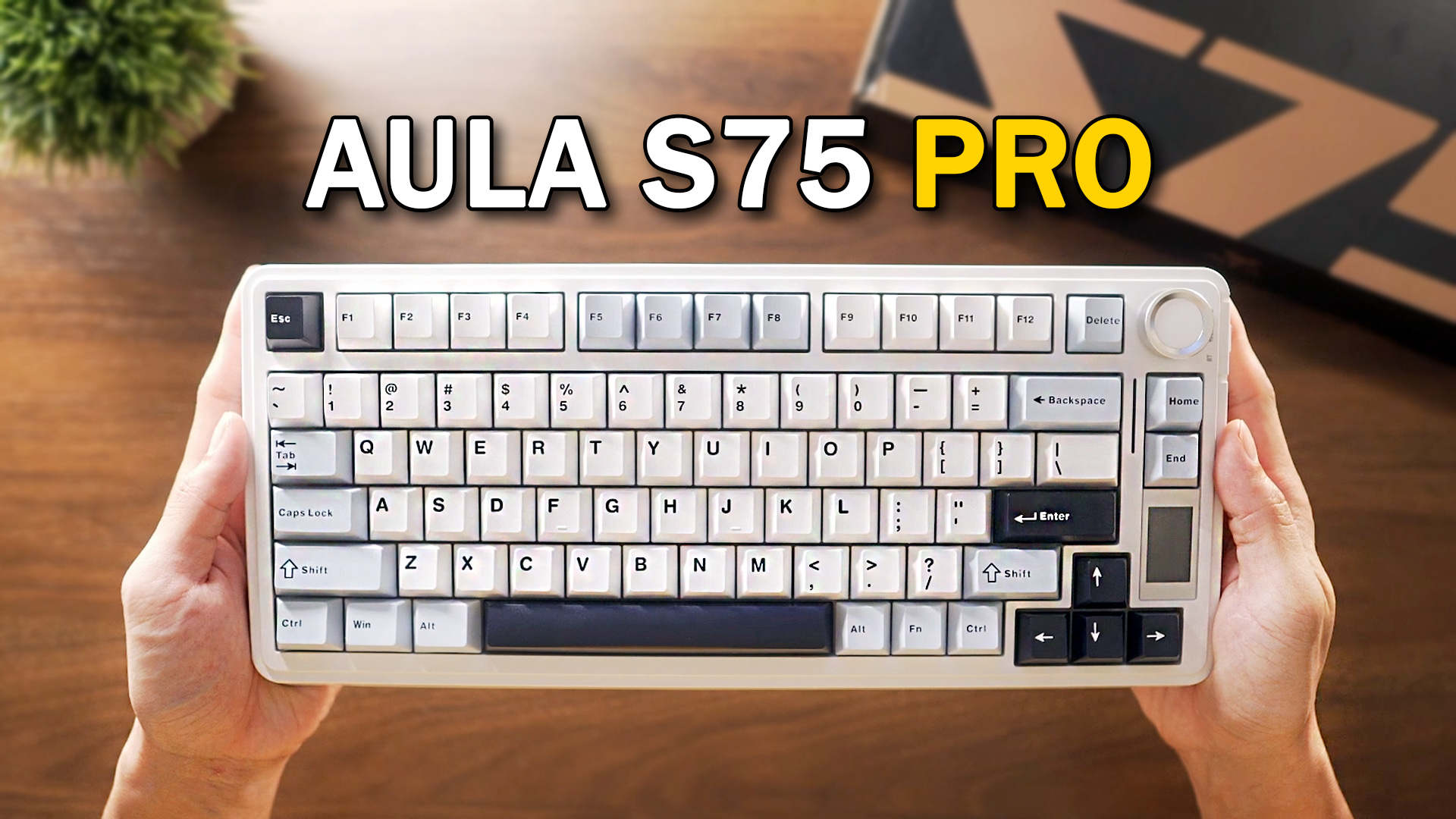
The Aula F75 has built a reputation for being the number one most selling mechanical keyboard. Now we have the follow up, which is the Aula S75 Pro — it’s the same compact 75% layout, clean aesthetic, but with a few notable upgrades including a customizable TFT display and a revised switch lineup.
As we dive deeper into this Aula S75 Pro review, we will highlight the key features that make this keyboard a top contender in the market.
Aula S75 Pro design & build quality.
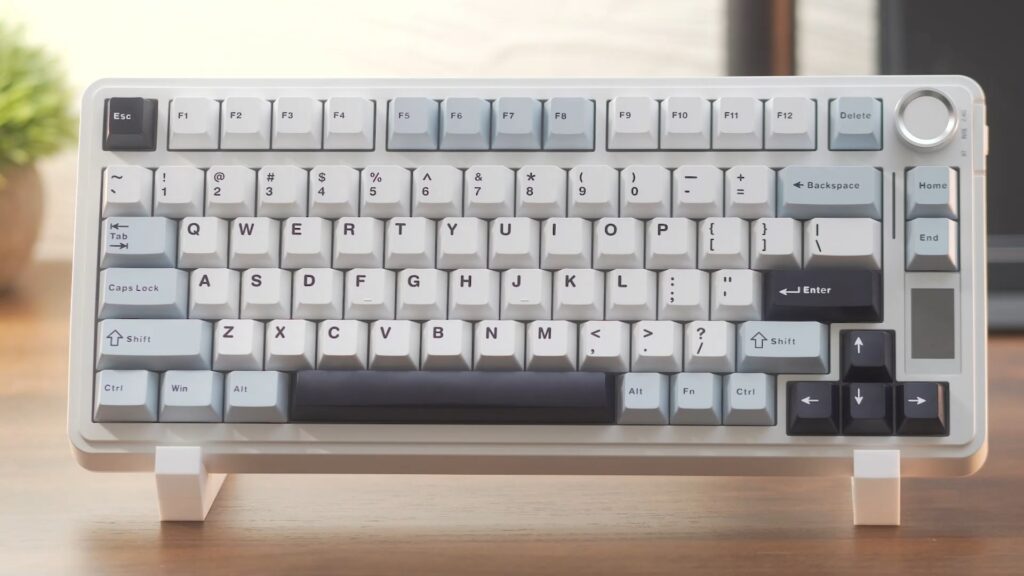
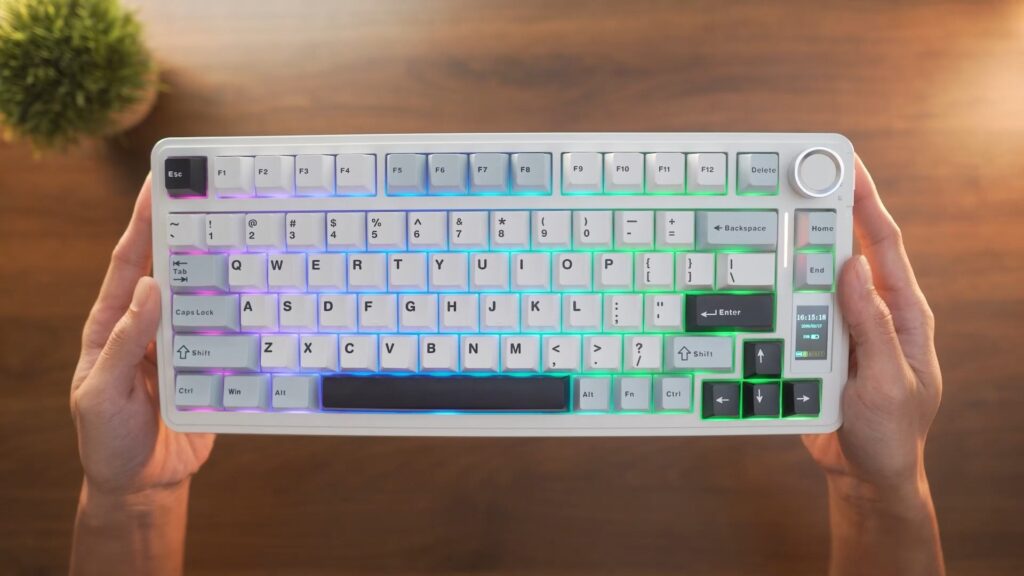
If you’re already familiar with the F75, the S75 Pro will look almost identical at first glance. It follows the same compact 75% layout with 80 keys, giving you dedicated access to arrow keys, navigation, and a function row along the top.
The colorway being this white and blue combo was my go to choice, The contrast between the light
pastel tones and the darker accent keys gives the board a clean yet stylish theme.
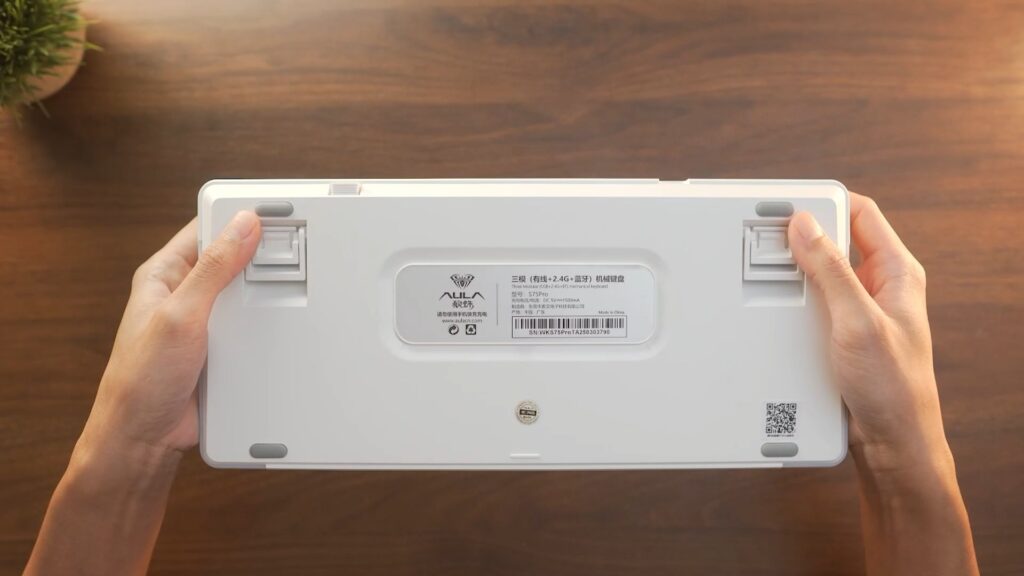
For the build, it’s constructed entirely of plastic. Flip it over and you’ll find rubber stops on the corners to keep things stable on flat surfaces, plus fold-out feet for angle adjustment. Don’t expect too much at this tier in terms of premium feel, but it holds up well enough for daily use.
The Aula S75 Pro design reflects modern trends while maintaining a functional approach, ensuring users can enjoy both aesthetics and performance.
Keycaps
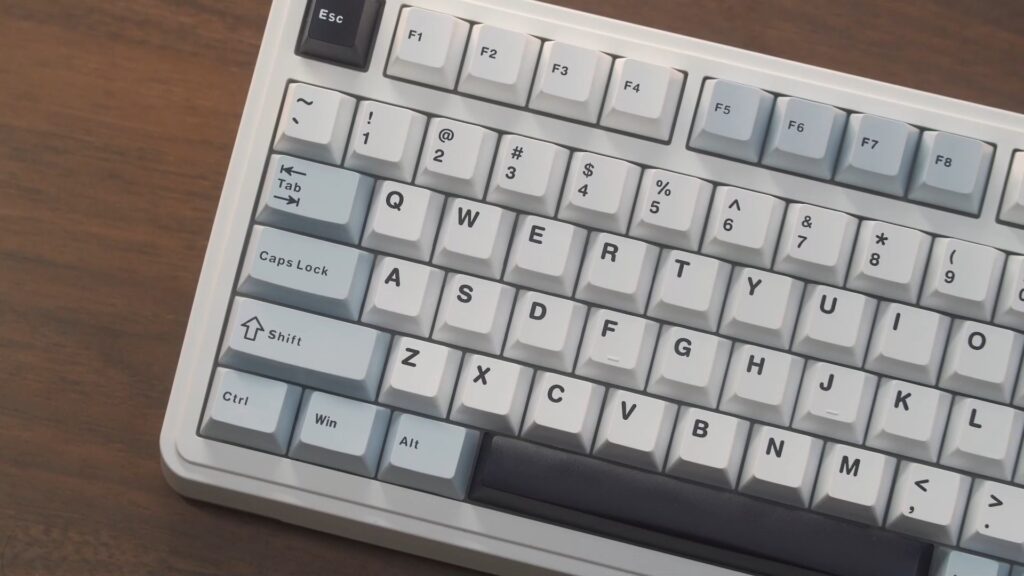
The Aula S75 Pro’s keycap design is another essential feature, as it significantly enhances both the look and feel of the keyboard. They are double-shot PBT — known for durability and long-term resistance to shine. They have a matte finish that keeps the legends looking crisp even after months of heavy use.
Switch choices available for the Aula S75 Pro cater to different preferences, ensuring that every user can find their perfect fit.
Switches
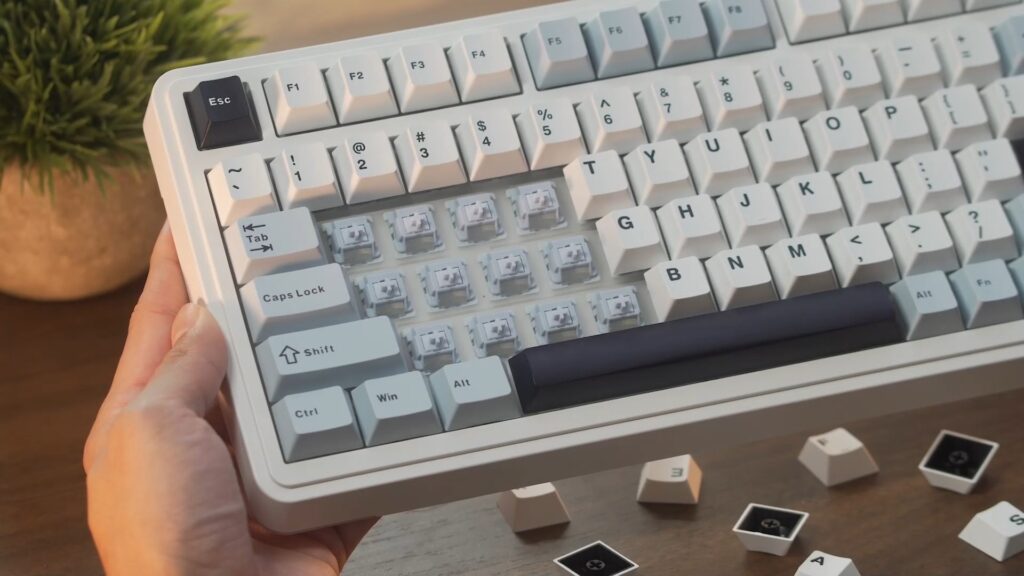
The S75 Pro comes equipped with Seiya (Star Vector) linear switches, which are factory lubed. These have a 40gf actuation force, with 1.8mm pre-travel, and 3.5mm total travel. Full POM stem and housing, factory pre-lubed, and rated for 60 million keystrokes. That makes them well-suited for fast typists or gamers who want quicker input response with less fatigue over time.
Hot-swap PCB
The unique gasket mount design of the Aula S75 Pro contributes to an enhanced typing experience that is worth noting.
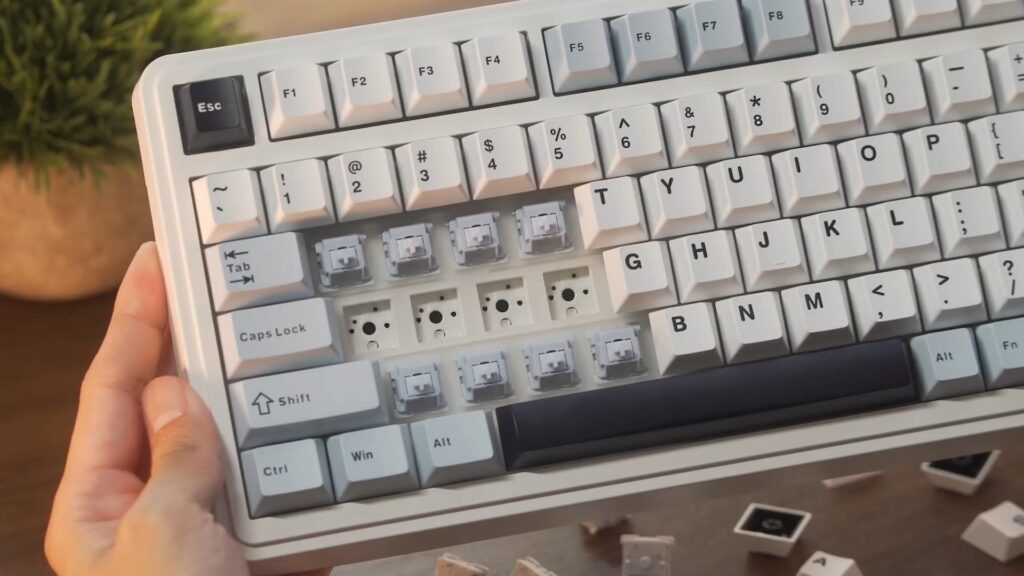
If the Seiya switches aren’t for you, the PCB is fully hot-swappable. That means you can pull and replace switches without soldering — any 3-pin or 5-pin switch will work. It’s a straightforward customization that gives you full flexibility to tune the board to your preference.
Gasket mount & internal dampening
This rotary knob on the Aula S75 Pro is designed to provide quick access to frequently used functions, making it a practical addition.
The S75 Pro uses a gasket-mounted structure combined with multi-layer dampening. The gasket layer acts as a shock absorber — softening the keystroke feel, cutting down vibration, and reducing overall noise. The result is a typing experience that feels and sounds noticeably more premium but the feedback from using the keyboard makes it satisfying to type on as well.
TFT display
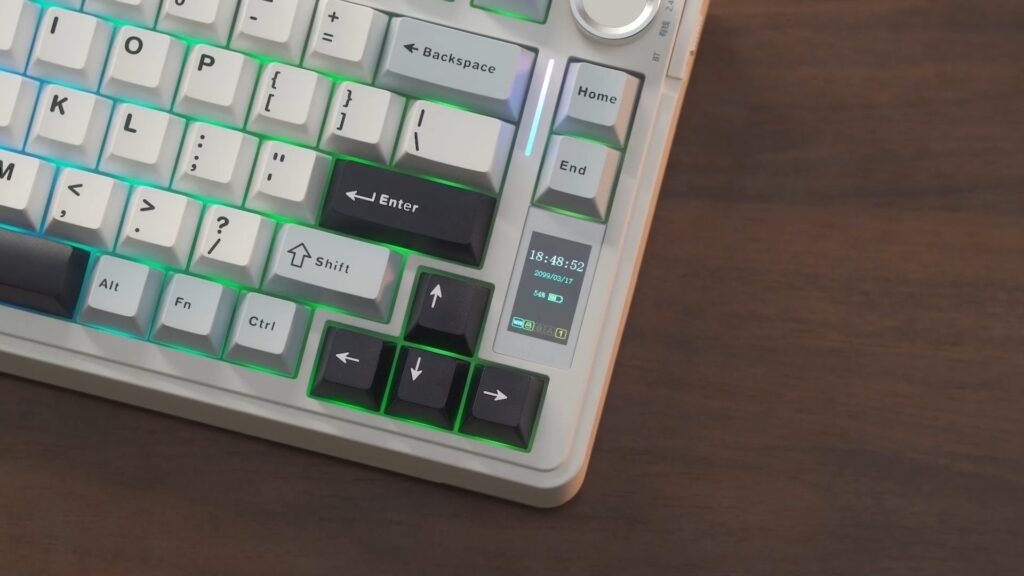
One of the more unique additions on the S75 Pro is the built-in TFT display. The 1.14-inch LCD screen displays battery level, date and time, operating system, volume, backlight effects, and custom GIF animations.
The RGB backlighting of the Aula S75 Pro offers customizable options that enhance not only the look but also the functionality during use.
The TFT display on the Aula S75 Pro is not just a gimmick; it adds real value to the overall user experience.
Rotary knob
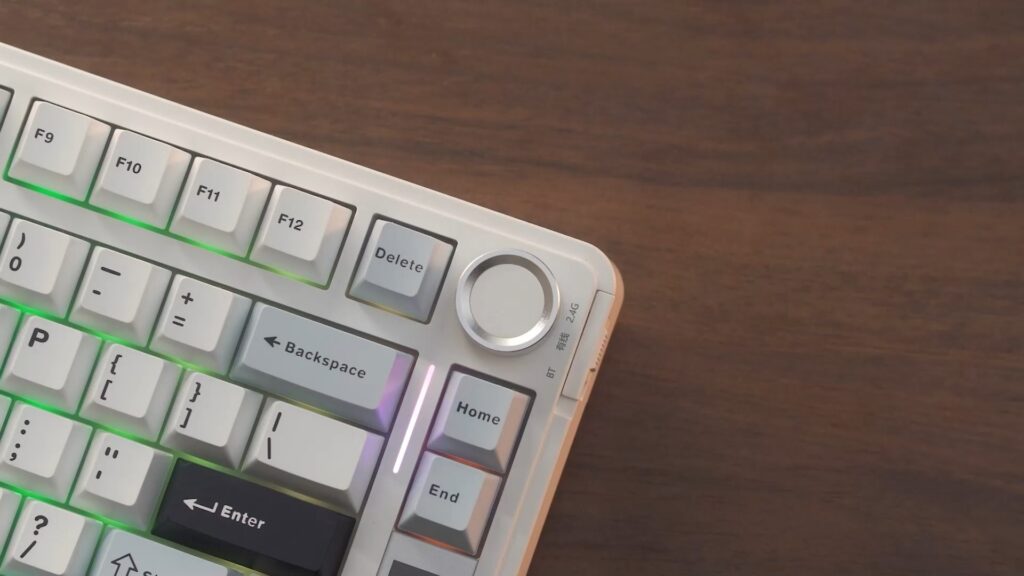
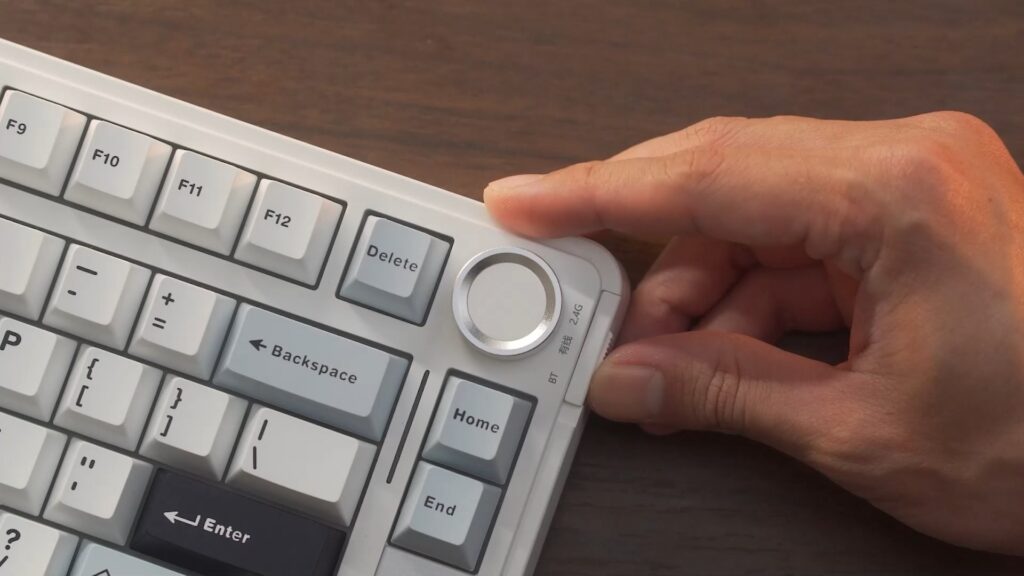
Sitting above the TFT display is the aluminum rotary knob. It handles media controls — play/pause and volume — out of the box, and can be toggled into a secondary navigation mode via a function shortcut for screen controls. Functionally it works well, but visually it’s one of the weaker points of the board.
With great battery life, the Aula S75 Pro allows you to use it for extended periods without frequent recharges.
RGB backlighting
The performance of the Aula S75 Pro is impressive, making it suitable for both gaming and professional tasks.
The RGB setup comes with multiple preset effects you can cycle through directly from the board. There’s also a music sync mode that ties the lighting to your audio playback — a fun addition if you want the board to react to your setup. For deeper customization, effects can be tuned through the companion software. It’s a well-rounded implementation with enough variety to keep it interesting.
Tri-mode connectivity
The tri-mode connectivity of the Aula S75 Pro makes it versatile, allowing you to connect with various devices seamlessly.
The S75 Pro supports wired USB-C, 2.4GHz wireless via the included dongle, and Bluetooth. Switching between them is handled by a slider on the side of the board.
Battery life
Powering the wireless modes is a 4000mAh battery. With RGB on, you’re looking at roughly 30 hours of use. Turn the lights off and that extends to around 80 hours — enough to go several days without thinking about a charge. When you do need to top it up, a full recharge takes approximately 4 hours.
Performance
The S75 Pro runs a 1000Hz polling rate across both wired and 2.4GHz wireless modes. That means inputs are being registered 1,000 times per second, which translates to fast, consistent response — exactly what you want for gaming or high-speed productivity work. Pair that polling rate with the light actuation of the Seiya switches and the gasket mount absorbing feedback, and you have a board that performs well across the board.
Specifications
| Spec | Details |
|---|---|
| Layout | 75% compact (80 keys) |
| Switches | Seiya linear (factory lubed), 3-pin/5-pin hot-swap compatible |
| Actuation force | 40g actuation / 55g bottom-out |
| Keycaps | Double-shot PBT, matte finish |
| Mount type | Gasket mount with multi-layer dampening |
| Connectivity | USB-C wired, 2.4GHz wireless, Bluetooth |
| Polling rate | 1000Hz (wired & 2.4GHz wireless) |
| Battery | 4000mAh — ~30hrs with RGB, ~80hrs without |
| Charge time | Approximately 4 hours |
| Display | Customizable TFT screen (battery, connection, lock state, RGB mode) |
| Rotary knob | Aluminum multi-function (media + navigation toggle) |
| RGB | Per-key backlighting with music sync mode; software customizable |
| Build material | Plastic chassis |
| Colorways | White/Blue (and additional variants) |
Final verdict
The Aula S75 Pro is a feature-rich 75% keyboard that delivers a lot for what it is. The aesthetic is one of the strongest things going for it — the white and blue colorway is clean and distinctive. The Seiya switches, gasket mount, and multi-layer dampening combine to give it a typing feel that outperforms expectations for a board in this class. Tri-mode connectivity, a customizable TFT display, music sync RGB, and a 1000Hz polling rate round out a package that genuinely earns every feature it lists.
That said, for gamers, casual users, and those that value productivity who are looking for an all around keyboard should get the Aula S75 Pro. It’s a strong option and I highly recommend it.
Where to buy
The Aula S75 Pro is available in multiple colorways and switch configurations. Check the link below for current availability and any active promotions.
As an Amazon Associate, I earn from qualifying purchases. This comes at no extra cost to you.